Gargoyle router in the archive. Trying alternative router firmware to understand bandwidth use.
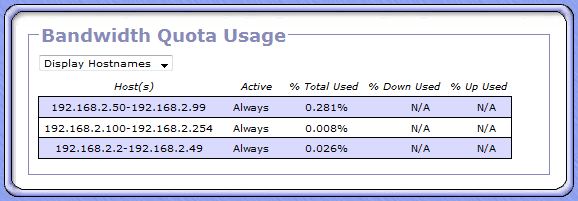
Over the past month, I have been having issues with the IPS’s Mb quota being used up. Given my current router is a Linksys WRT54GL I found a mention of Gargoyle Router. Enter Gargoyle Router: http://www.gargoyle-router.com/ After a little bit of investigation, Gargoyle Router *seems* to provide the answer to what is chewing up my bandwidth and also provide a few *very* nice features, such as client quota, traffic shaping and also eliminate possible wireless threats. This is an ideal setup for keeping tabs on flatmates, kids, work colleagues, etc. The split I have used is per function, however this can be setup on per-individual basis. In my situation, I receive 50Gb from the ISP on a monthly rotation. I have 192.168.2.x (1-49) for client machines, 192.168.2.x (50-99) for wireless guests, and 192.168.2.x (100-254) for servers. I host a web server at home for my blog, PAP device for my VOIP, and the rest are pretty standard. My router is a plain-Jane WRT54GL v1.1 that will accept open source firmware – ie DDWRT, OpenWRT, Tomato, Gargoyle Router – you get the picture. So, once you have setup your Gargoyle router and are able to connect to the internet – the workstations; lets begin. Go to your Firewall, Quotas and setup the rules as you see fit, mines look as such: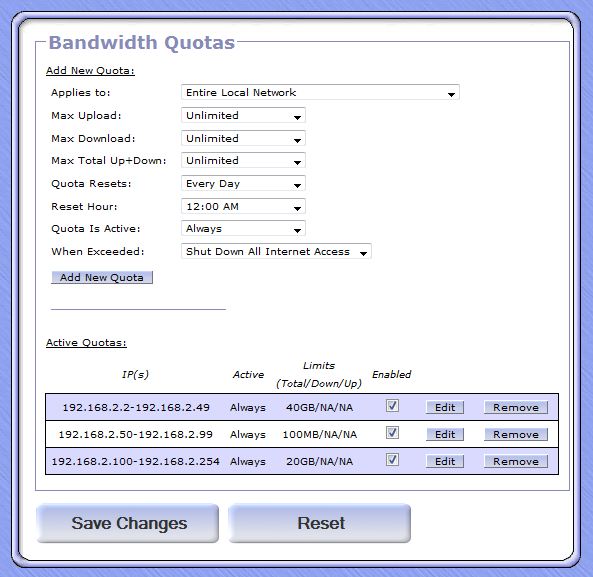
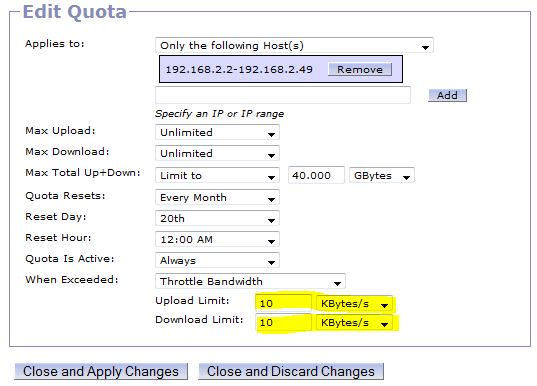
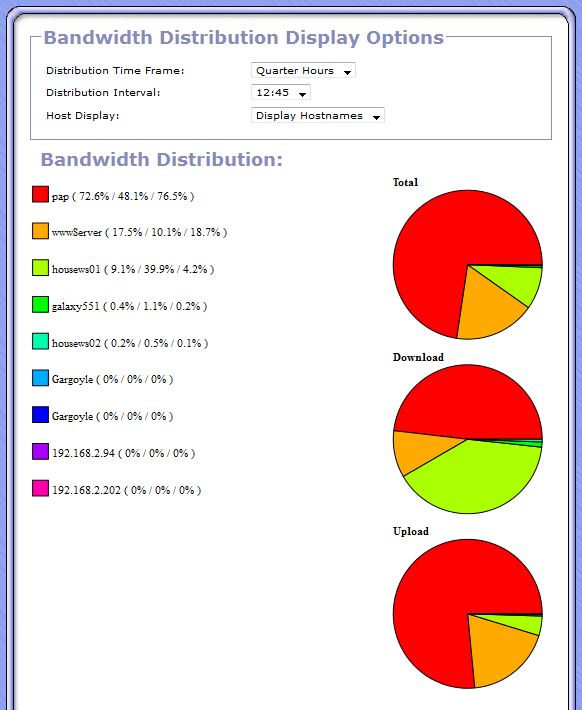
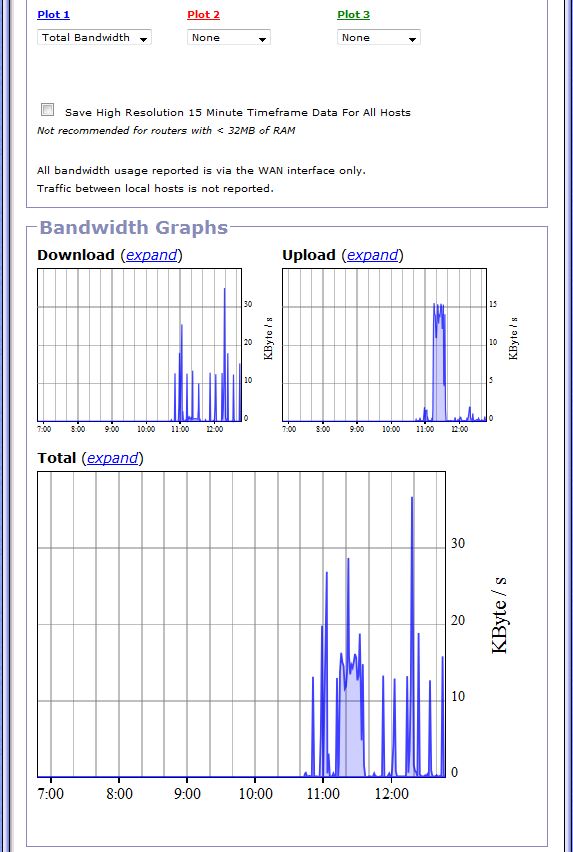 But wait, there’s more! This is found under “Usage”, “B/W Distribution”
 Lastly, and the cherry on the cake is the ability to check on your quotas, this is found under “Usage”, “Quota Usage”:
 Hope this helps you too.
Related reading: Data Centre Cabling: Comparing Layouts.