Remote access setup in the archive. Historical Windows session-management notes for authorised administrators.
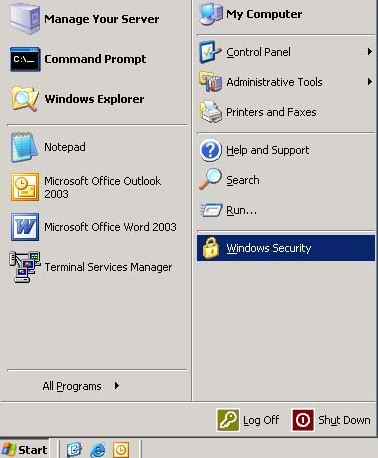
remote access how to – We saw previously ONE method to log off a user, that was the clean way of gaining remote desktop.
There is another way, a dirty way but it works none-the-less, and gains your remote desktop:
This approach gives you remote access (sitting in front of the machine/console). Add the /Admin switch in the mstsc box.
Additional to this, you will approach also has the ability of allowing you to install some programs that will only install via console.
Online downloads in the archive. A personal response to New Zealand digital policy coverage at the time.
Seeing how New Zealand has been plagued with earthquakes, failing economy and a government which operate under a left agenda.
Last Thursday the decision has been made that a “emergency” decision must be taken against illegal downloading.
This new law was passed at 9PM with a day notice.
The previous government has tried this but on top of the users standing in resistance even ISPs joined in.
Thank you Katrina Shanks:
The same night the law was passed Hauraki presenters described her as someone that should not be allowed to drive or have direct contact with normal everyday public due to being thick as pig $(*&.
Seems they hit the nail on the head!
And thank you thick Tony Eaton, and an extended thank you Jonathan Young, we couldn’t have done it without you: 3News
Scum, Scum, Scum – from their back teeth to their BUM!
Published: 7:57AM Thursday December 17, 2009 Source: ONE News
o Copyright abusers to get three warnings
Internet New Zealand wants people to stop their illegal downloading from the internet before being caught.
The government’s receiving praise from the online community for clamping down on illegal downloading, introducing legislation next year, for a three-step infringement notice system.
In the three stage warning notice approach, ISPs will issue three notices to those they feel are involved in illegal downloads, before action is taken.
After three such notices have been issued, the victim can then seek a fine of up to $15,000.
Internet New Zealand policy director Jordan Carter says it’s a better idea than the previous law that was put in place by the last government
He says that’s because it sets up a process around who has to send the notices and the responses people have to make.
Carter says the move appears to be about educating people rather than trying to catch them out and hopes the new move works.
Remote user logoff in the archive. An old Windows admin note on dealing with disconnected or idle sessions.
If you like every other sysadmin have users that simply forget to log-off, throw the following in a batch script.
This script will need to run with admin rights.
echo off
cls
echo What is the machine name?
set /p server=
quser /server:%server%
set /p session=
logoff %session% /server:%server%
quser /server:%server%
TheRenamer in the archive. A look at an older utility for renaming media files.
theRenamer is a good tool to cut down the amount of time spent repeating yourself. Excuse the pun. Simple, customizable and free.
This smart little tool will go and retrieve the appropriate information relating to your movies and tv shows via IMDB.com and the like.
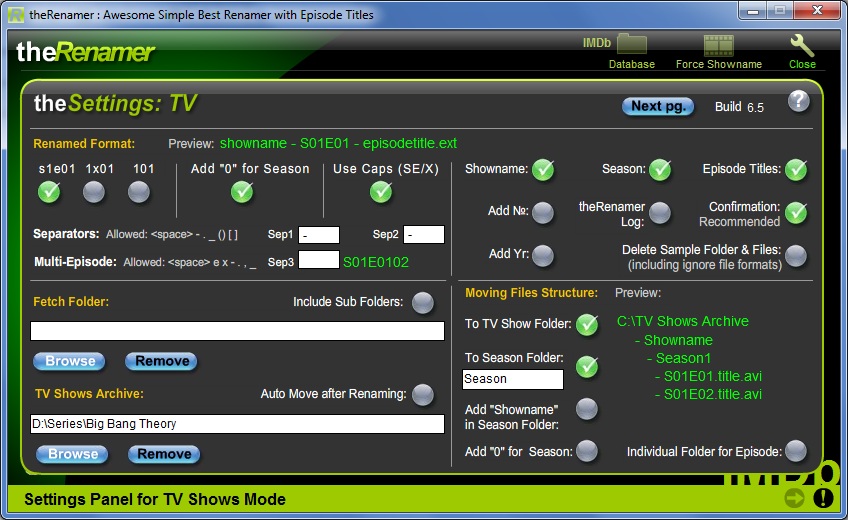
Lets start by setting up your filters:
Depending the way everything is already setup you will be able to match it to your requirements, the beauty is that it will actually show you the end result.
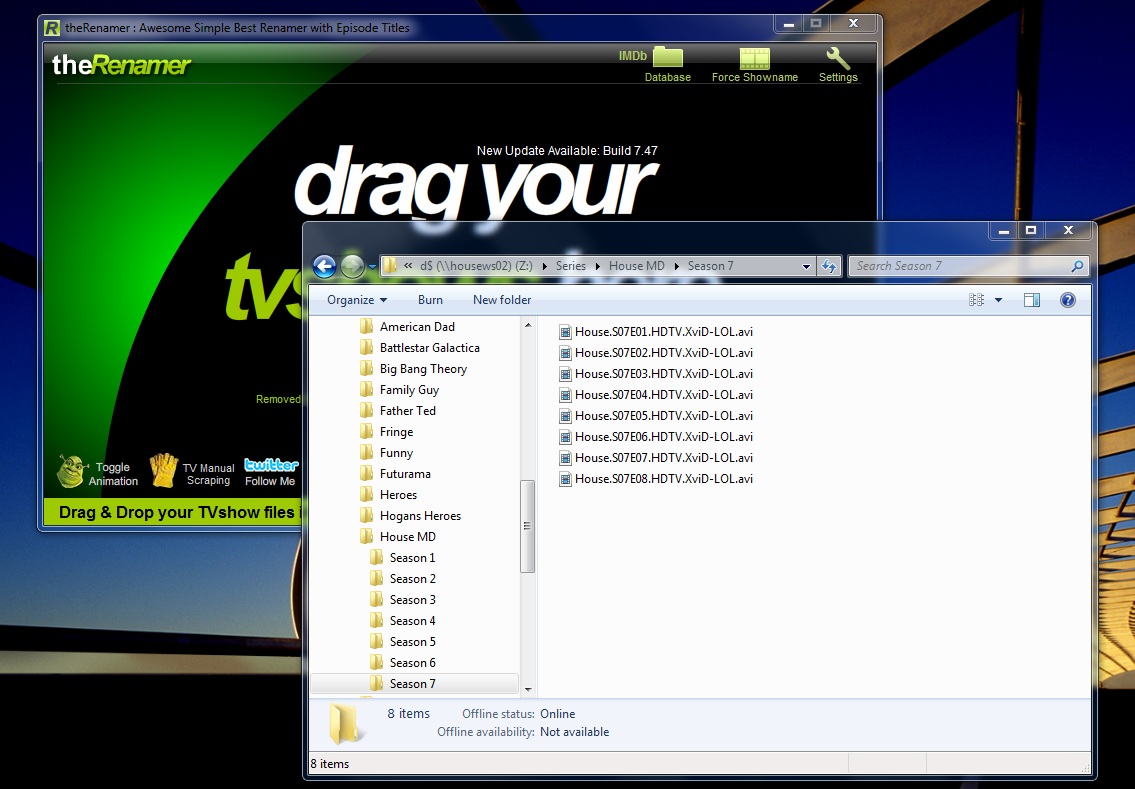
Lets begin, drag and drop the files you want renamed:
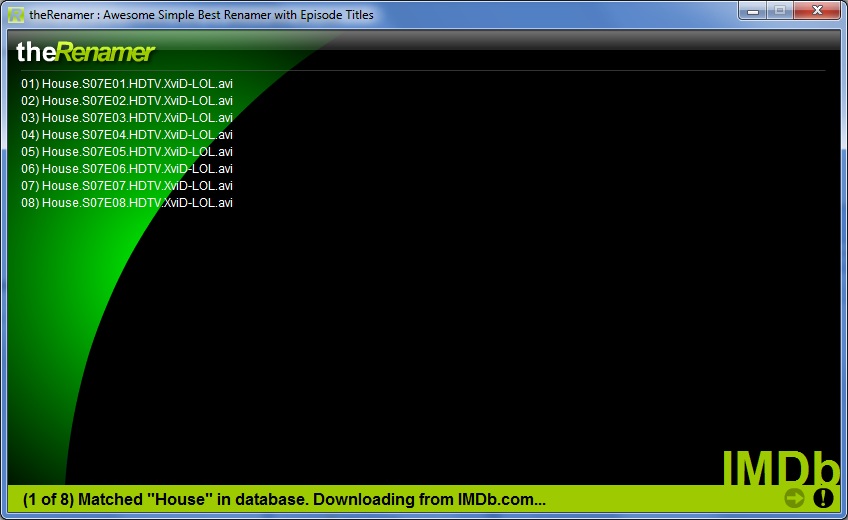
Next up you will note where the information is getting fetched from:
Lets it do its job:
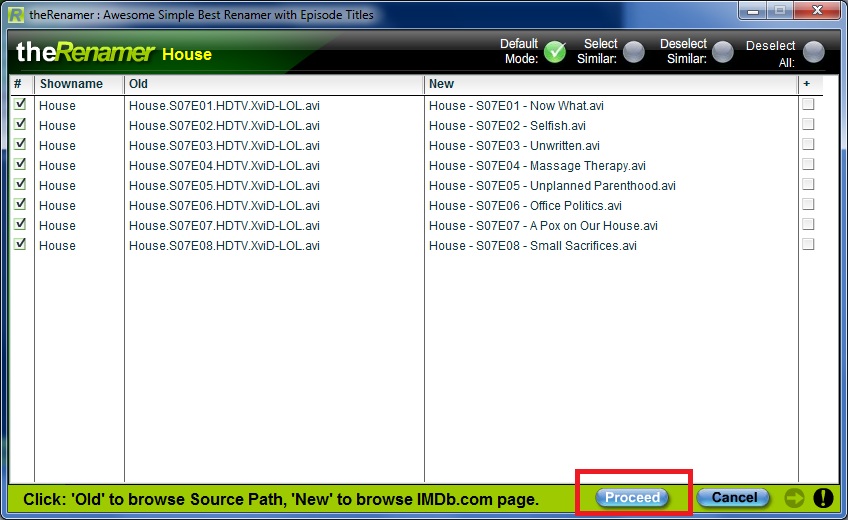
At this point it will have fetched the correct information or not, either way; you will have the option of what is to be renamed. Click on Proceed.
Voila, your files will now have the correct file names. theRenamer will also work on whole directories too.
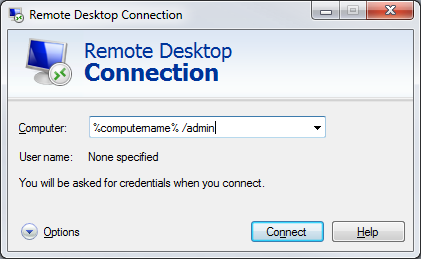 This approach gives you remote access (sitting in front of the machine/console). Add the /Admin switch in the mstsc box.
Additional to this, you will approach also has the ability of allowing you to install some programs that will only install via console.